Command Line
Every ribbon action is a command with an id. rustgis-cli runs them headlessly.
rustgis-cli commands                  # every command id with its parameters
rustgis-cli tools                     # geoprocessing tools
rustgis-cli info data.geojson         # layer summary as JSON
rustgis-cli render data.geojson map.png --basemap ocean --width 1600 --height 900
rustgis-cli render data.geojson map.png --tiles 'https://tile.openstreetmap.org/{z}/{x}/{y}.png'
rustgis-cli logo icon.png --size 256  # the app icon as a PNG
rustgis-cli plugins                   # installed plugins (also: browse, get, install, uninstall…)
rustgis-cli skills                    # the AI Assistant's skills (also: add, remove, enable, disable)
Chaining commands
run loads data or a project, runs --cmd 'id={json params}' in order, and can save the
result:
rustgis-cli run --sample \
  --cmd 'gp.run={"tool":"countPoints","params":{"polygons":"Countries","points":"Cities"}}' \
  --cmd 'layer.symbology={"layer":"Countries_Summarize","type":"graduated","field":"point_count"}' \
  --cmd 'bookmark.go={"name":"Europe"}' \
  --cmd 'share.exportMap={"path":"europe.png","dpi":192}' \
  --save atlas.rgis
Each command's result goes to standard output as JSON. What a command says beside it, which the app shows in its status bar (a file's warnings, or that only the first 32 tables of a GeoPackage were added), goes to standard error.
Installed plugins load first (--no-plugins skips them), and --plugin <file or
folder> loads one more for this run only. Their commands and tools have ids like
plugin:vector-toolkit/hexagon-grid:
rustgis-cli run --sample --plugin vector-toolkit-0.1.0.rgplugin \
  --cmd 'gp.run={"tool":"plugin:vector-toolkit/hexagon-grid","params":{"input":"Countries","size":300}}' \
  --cmd 'share.exportMap={"path":"hexagons.png"}'
Rasters work the same way:
rustgis-cli render dem.tif dem.png
rustgis-cli run --data dem.tif \
  --cmd 'raster.symbology={"type":"shadedRelief","ramp":"Terrain","zFactor":1.5}' \
  --cmd 'raster.info={}' \
  --cmd 'share.exportMap={"path":"relief.png","dpi":192}'
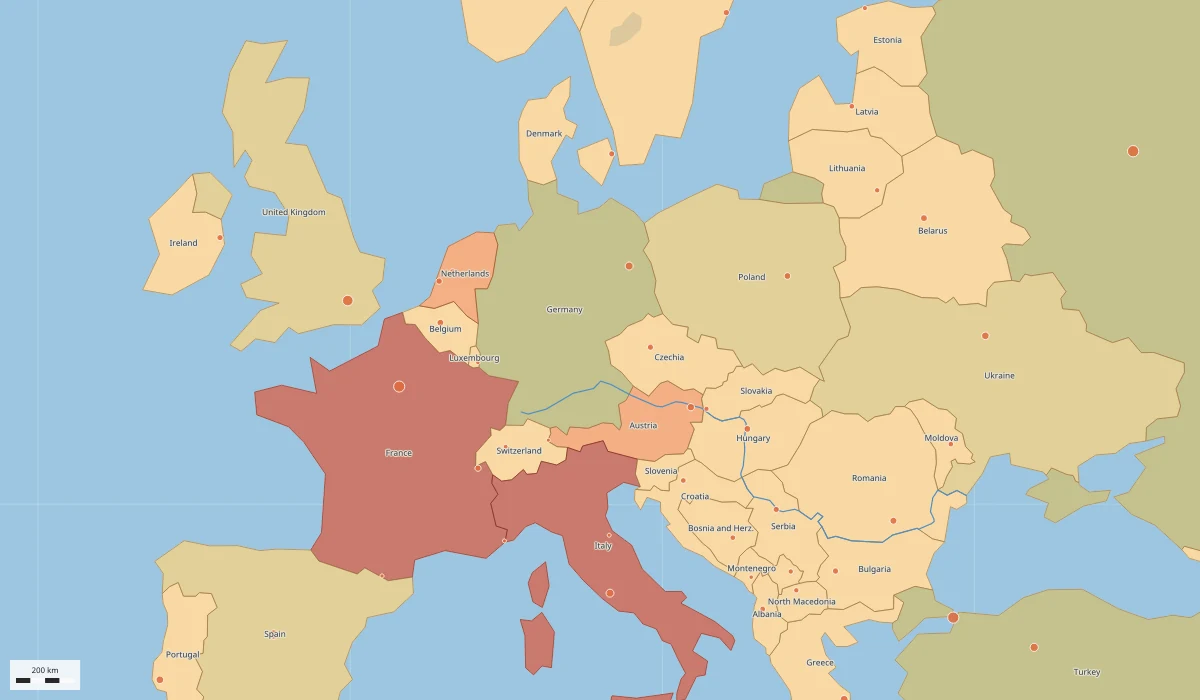
rustgis-cli, with no window open.Asking the AI assistant
ask gives the AI Assistant one request. It loads data like run,
then the model answers and acts on the project through commands; --save keeps the result:
export ANTHROPIC_API_KEY=…            # or OPENAI_API_KEY, GEMINI_API_KEY, OPENROUTER_API_KEY
rustgis-cli ask --sample "Which 5 countries have the largest GDP?"
rustgis-cli ask --sample "Buffer the cities by 200 km and label them" --save buffered.rgis
rustgis-cli ask --data parcels.geojson --provider ollama --model qwen3:8b "Summarise the fields"
rustgis-cli ask --models --provider openai          # the provider's models
rustgis-cli ask --login                             # sign in with ChatGPT to use your ChatGPT plan
rustgis-cli ask --sample --provider chatgpt "Zoom to Tokyo"
The provider is --provider (anthropic, openai, chatgpt, gemini, openrouter, ollama, custom),
else RUSTGIS_ASSISTANT_PROVIDER, else the first with a key in the environment, else Ollama (a
ChatGPT sign-in is used only when chosen).
--model and --base-url override the defaults. The answer goes to standard output and each
command the assistant ran to standard error. Commands that read or write files or use the
network are declined unless you pass --yes; plugin commands, scripts, tasks, models and
replacing the project are always declined here. --trace log.txt appends each request and response
body (never the headers, which carry the key) to a file. --login signs in with ChatGPT in
the browser, so --provider chatgpt uses your ChatGPT plan (--another-account registers RustGIS
for a different account), and --logout signs out; see Signing in with ChatGPT.
Serving AI agents
mcp runs RustGIS as a Model Context Protocol server for agents such as Claude Code, Cursor and
VS Code, which then run commands, look at the map and search the documentation themselves:
claude mcp add rustgis -- rustgis-cli mcp --sample
mcp-register --client claude registers the open desktop app's MCP over HTTP with Claude Code,
for when agents are turned on in the app (without --client, it prints the configuration):
rustgis-cli mcp-register --client claude
See MCP Server.